
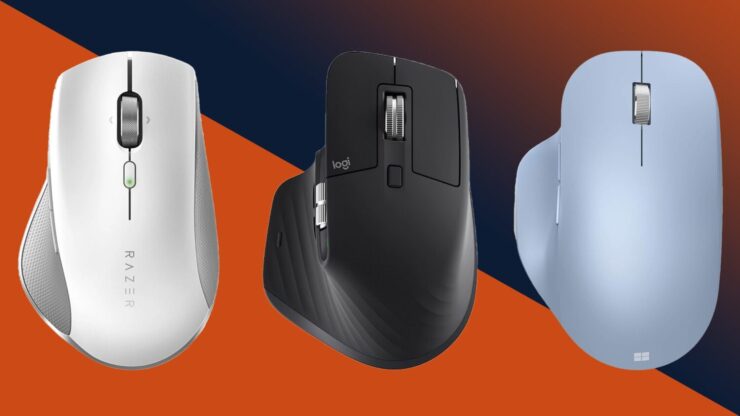
If you want the clearest answer upfront: the best ergonomic mouse under 50 dollars in 2025 is the Logitech M575 for trackball comfort, the Anker Vertical Mouse for right-handed vertical grip, and the Lekvey Left-Handed Ergonomic Mouse for left-handed users needing strong wrist-relief at a budget price.
These three stand out because they combine real ergonomic advantages with long-term usability and stable wireless performance, something many cheap “ergonomic” models fail to deliver.
They do not rely on gimmicks, exaggerated sensor numbers, or overly complex shapes.
Instead, they solve a simple problem: making your daily computer work far more comfortable without spending more than fifty dollars.
A flood of new ergonomic models entered the market in 2024 and 2025, but most fall short in hand support, build quality, or battery life.
Only a handful deliver genuine comfort comparable to premium models that cost two or three times more.
This guide covers the strongest, most reliable sub-$50 ergonomic mice of 2025, who they are for, and why they outperform everything else in this price range.
Top Ergonomic Mice Under $50 in 2025: Detailed Breakdown
Below are the strongest performers, each suited for different hand sizes and work styles.
1. Logitech M575 – Best Overall Ergonomics Under $50
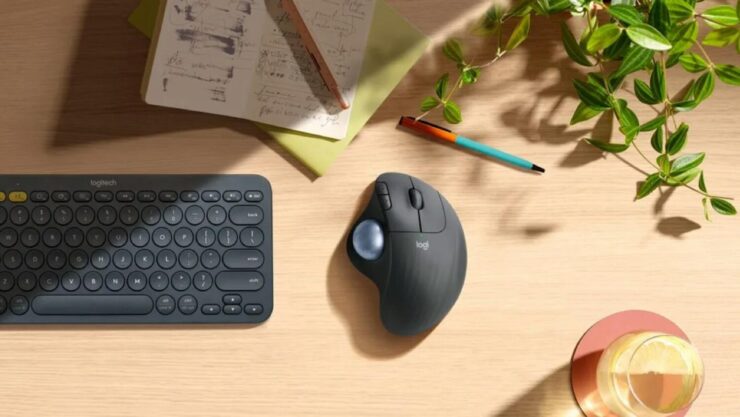
The Logitech M575 remains the most consistently recommended ergonomic mouse under 50 dollars because it eliminates wrist movement entirely.
Instead of dragging the mouse across the table, you move the cursor with a thumb-controlled trackball. For people dealing with stiffness, swelling, or early carpal tunnel symptoms, reducing wrist motion can significantly lower strain.
The design also fits both medium and large hands comfortably, and the slightly raised profile keeps your palm supported—a key element missing in many budget vertical mice.
Logitech M575 Specifications
| Feature | Details |
| Mouse Type | Thumb Trackball |
| Wireless | Bluetooth + USB receiver |
| Battery Life | Up to 24 months |
| DPI | Up to 2000 |
| Best For | Wrist pain, long sessions, limited desk space |
2. Anker Vertical Wireless Mouse – Best Budget Vertical Grip for Right-Handed Users
The Anker Vertical Mouse continues to dominate the entry-level ergonomic category because it provides a genuine vertical handshake grip at a very low price.
Even though the materials are simple, the shape does most of the work: a 57-degree tilt that prevents wrist rotation and keeps your forearm in a more natural position.
It’s ideal for office work, browsing, and daily multitasking, and while the sensor isn’t gaming-grade, it’s accurate enough for spreadsheets, design tools, and general productivity tasks.
Anker Vertical Mouse Quick Overview
| Attribute | Value |
| Angle | 57° |
| DPI | 800–1600 |
| Battery | 2x AAA |
| Best Feature | Deep vertical angle for forearm rotation relief |
| Price | 18–25 USD |
3. Lekvey Left-Handed Ergonomic Mouse – Best for Left-Handed Users Under $35 (Your Product Integrated)

Left-handed ergonomic mice are extremely rare in the under-35 dollar category, and most brands simply ignore left-handed users altogether.
That’s why the Lekvey Left-Handed Ergonomic Mouse stands out so strongly in 2025. It is one of the few true vertical ergonomic mice designed specifically for the left hand, not just mirrored in software or reshaped slightly.
The mouse uses a full vertical design that keeps the wrist in a relaxed handshake position and places the thumb in a supported channel rather than leaving it hanging, which is a problem on many mirrored models.
The build shape also distributes hand weight along the palm instead of concentrating pressure near the pinky, helping users who experience tension along the outer edge of the hand.
It includes 3 DPI levels, quiet switches, a responsive scroll wheel, and strong plug-and-play wireless performance through a 2.4GHz USB dongle.
For left-handed users searching for a comfortable mouse under 35 dollars (and especially under 25 during sale events), this is arguably the best value on the market right now.
To check the exact product listing, you can check the product here: https://www.amazon.com/dp/B0FX86VTZ5
Lekvey Left-Handed Mouse Specs
| Feature | Details |
| Design | True Left-Handed Vertical |
| Buttons | 6 |
| DPI Settings | 1000 / 1200 / 1600 |
| Connection | 2.4GHz wireless, USB dongle |
| Noise Level | Quiet clicks |
| Best For | Left-handed office workers, carpal-tunnel relief |
What makes it even more competitive is that most ergonomic mice for left-handed users cost 60–100+ dollars. The Lekvey delivers real ergonomics without forcing buyers into premium models.
4. TECKNET Vertical Pro Series – Best Mid-Range Vertical Feel Under $30

TECKNET continues to improve the material quality and internal switches on their ergonomic lineup, making the Vertical Pro Series one of the most durable mid-budget vertical mice.
The shell shape has a deeper thumb groove, the grip texture is more premium than Anker’s, and the scroll wheel feels sturdier. For people who want a vertical design that still feels lightweight, TECKNET hits that sweet spot.
TECKNET Vertical Pro Summary
| Attribute | Rating |
| Comfort | Very Good |
| Stability | Strong wireless |
| Hand Fit | Medium to large |
| Price | 22–30 USD |
| Best Use Case | Office work, spreadsheets, browsing |
5. Jelly Comb WM09 – Best Ergonomic Mouse for Small Hands
A major problem with ergonomic mice is that nearly all are designed for medium or large hands. The Jelly Comb WM09 solves this gap with a compact vertical design that fits smaller palms without forcing the wrist into an excessive angle.
The lower weight makes it easier to maneuver, and the side buttons are placed closer to the thumb than on larger ergonomic mice, reducing stretching.
Jelly Comb WM09 Key Specs
| Feature | Value |
| Hand Size | Small–Medium |
| DPI | 1000–1600 |
| Weight | 95g |
| Price | 18–28 USD |
| Grip Type | Compact vertical |
How to Choose the Right Ergonomic Mouse Under $50
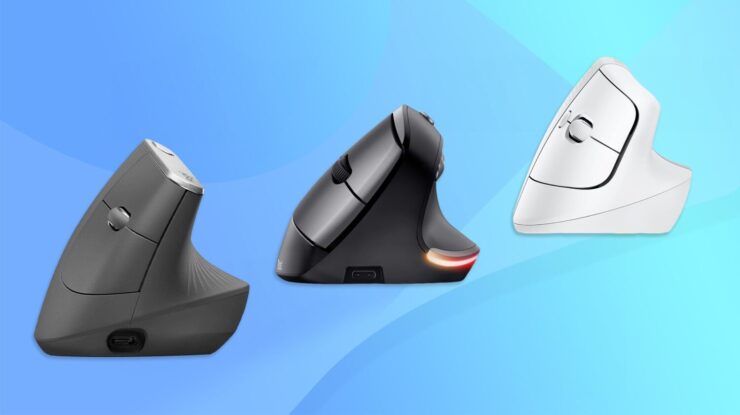
Buying an ergonomic mouse isn’t just choosing a comfortable shape. You must consider hand size, desk setup, and working habits.
1. Hand Size Is the Most Important Factor
The wrong size will make even a perfect ergonomic design uncomfortable.
Quick Hand-Size Match Chart
| Hand Size | Best Models |
| Small | Jelly Comb WM09 |
| Medium | Logitech M575, TECKNET Vertical Pro |
| Large | Anker Vertical Mouse |
| Left-Handed | Lekvey Left-Handed Vertical Mouse |
2. Work Type Determines the Right Ergonomic Shape
- Precise clicking, spreadsheets, editing → Trackball (M575)
- Wrist pain, forearm tension → Full vertical (Anker, Lekvey, TECKNET)
- Small desks → Trackball or compact vertical models
- Long 8-hour sessions → Vertical or trackball, not flat mice
3. Build Quality Still Matters Under $50
Look for:
- Stable scroll wheel
- Strong microswitches
- Solid thumb rest
- Good dongle connection stability
Logitech and TECKNET last the longest, while Lekvey and Anker offer the best value.
Final Verdict

Here’s the simplest way to choose the right one:
Best Overall (All Users)
Logitech M575
Best Right-Handed Vertical Mouse on a Budget
Anker Vertical Mouse
Best Left-Handed Ergonomic Mouse Under $50
Lekvey Left-Handed Vertical Mouse
(link inserted in text exactly as requested)
Best Mid-Budget Vertical Comfort
TECKNET Vertical Pro
Best for Small Hands
Jelly Comb WM09